Delete your account and data
Guide on how to delete your account and personal data
Written By Delyan
Last updated 9 months ago
This article explains how to permanently delete your Chart Nomads Edge account.
Account deletion immediately cancels your subscription and starts a 30-day cooldown period. After this period ends, your account and associated data are permanently removed.
How It Works
Account Deletion Process
Step 1 – Open Security Settings
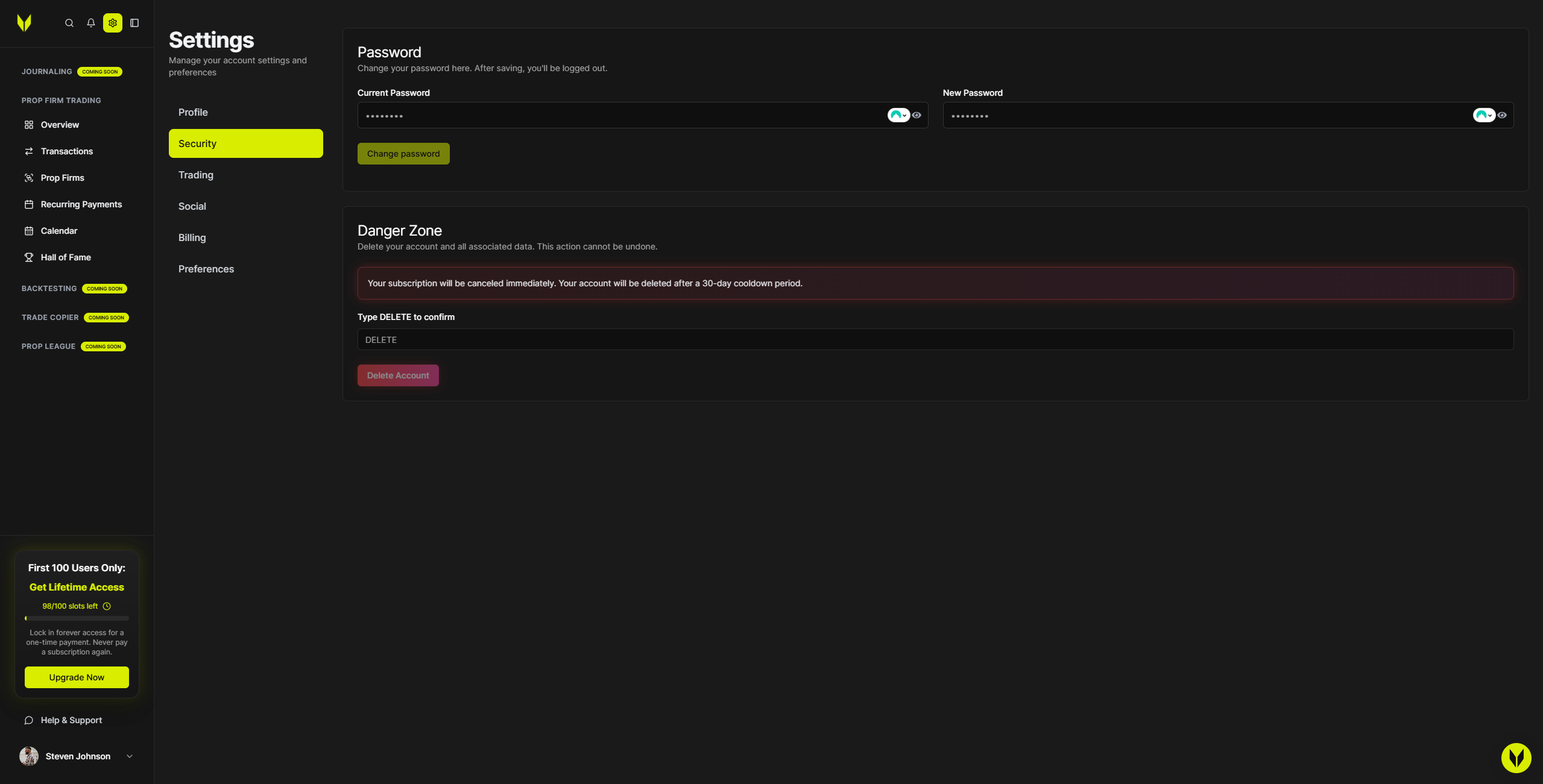
Go to Settings → Security and scroll down to the Danger Zone section.
Step 2 – Review the Deletion Warning
Before continuing, read the warning carefully:
Your subscription will be canceled immediately
Your account and data will be deleted after 30 days
This action cannot be undone after the cooldown period
Step 3 – Confirm Deletion
To proceed:
Type
DELETEexactly (uppercase, no spaces) in the confirmation fieldThe Delete Account button will remain disabled until
DELETEis entered correctly

Step 4 – Submit the Request
Click Delete Account to confirm.
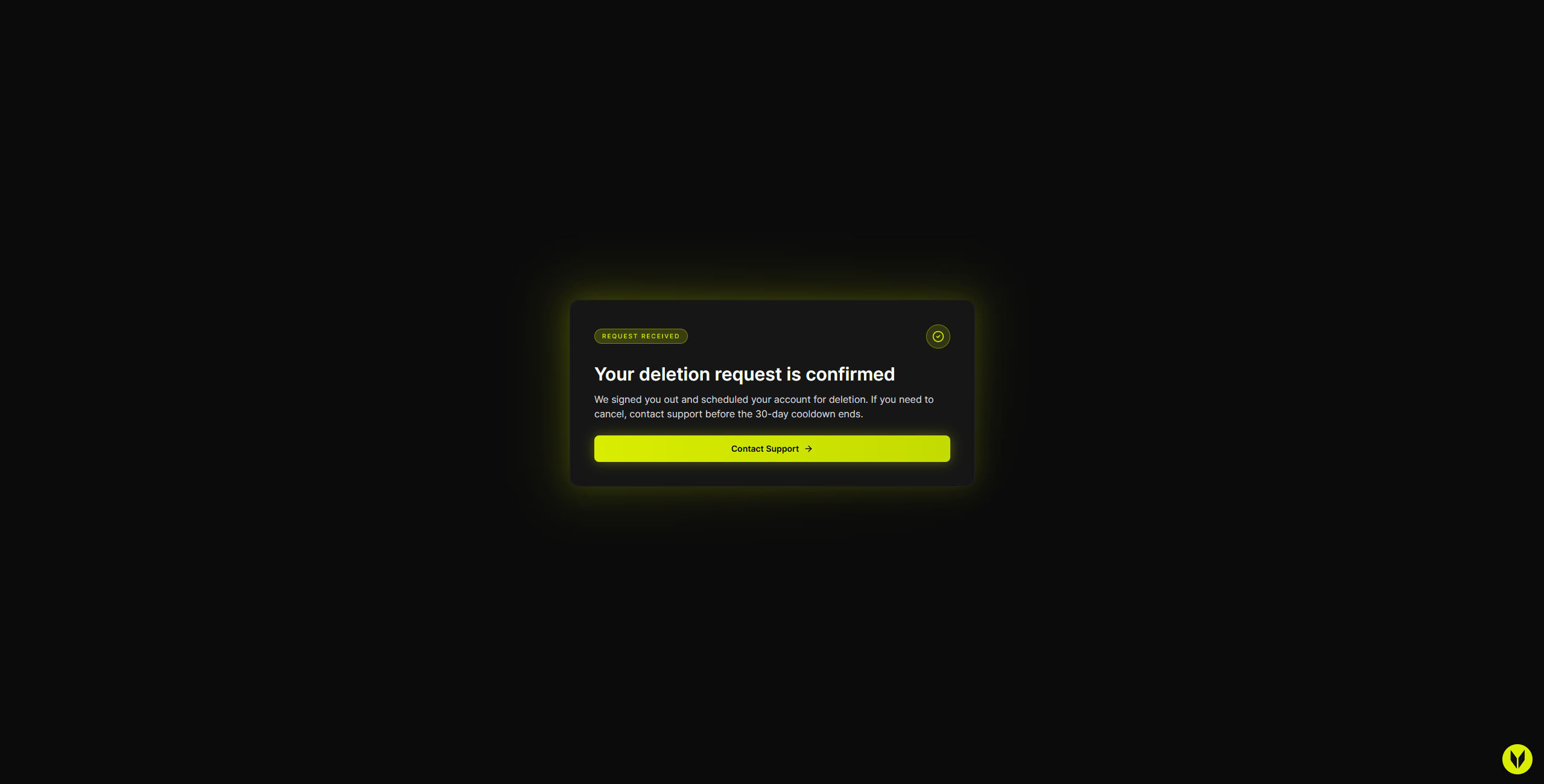
Once submitted:
You’ll be signed out automatically
You’ll be redirected to the account deleted confirmation page
The 30-day deletion timer begins immediately
Important Notes
Billing is canceled immediately when you request account deletion
The account and data are permanently deleted after the 30-day cooldown
The deletion process cannot be reversed once the cooldown period ends
The Danger Zone is only available in Settings → Security
Troubleshooting
Delete Button Is Disabled
Ensure you typed
DELETEexactlyUse uppercase letters only
Do not include spaces
No Redirect or Stuck Loading
Retry clicking Delete Account
Confirm you’re in Settings → Security
Refresh the page and try again
Still Being Billed
Billing is canceled immediately after requesting deletion
If charges continue, contact support and include:
The time and date of your deletion request
Related Articles
Still need help? Ask the team